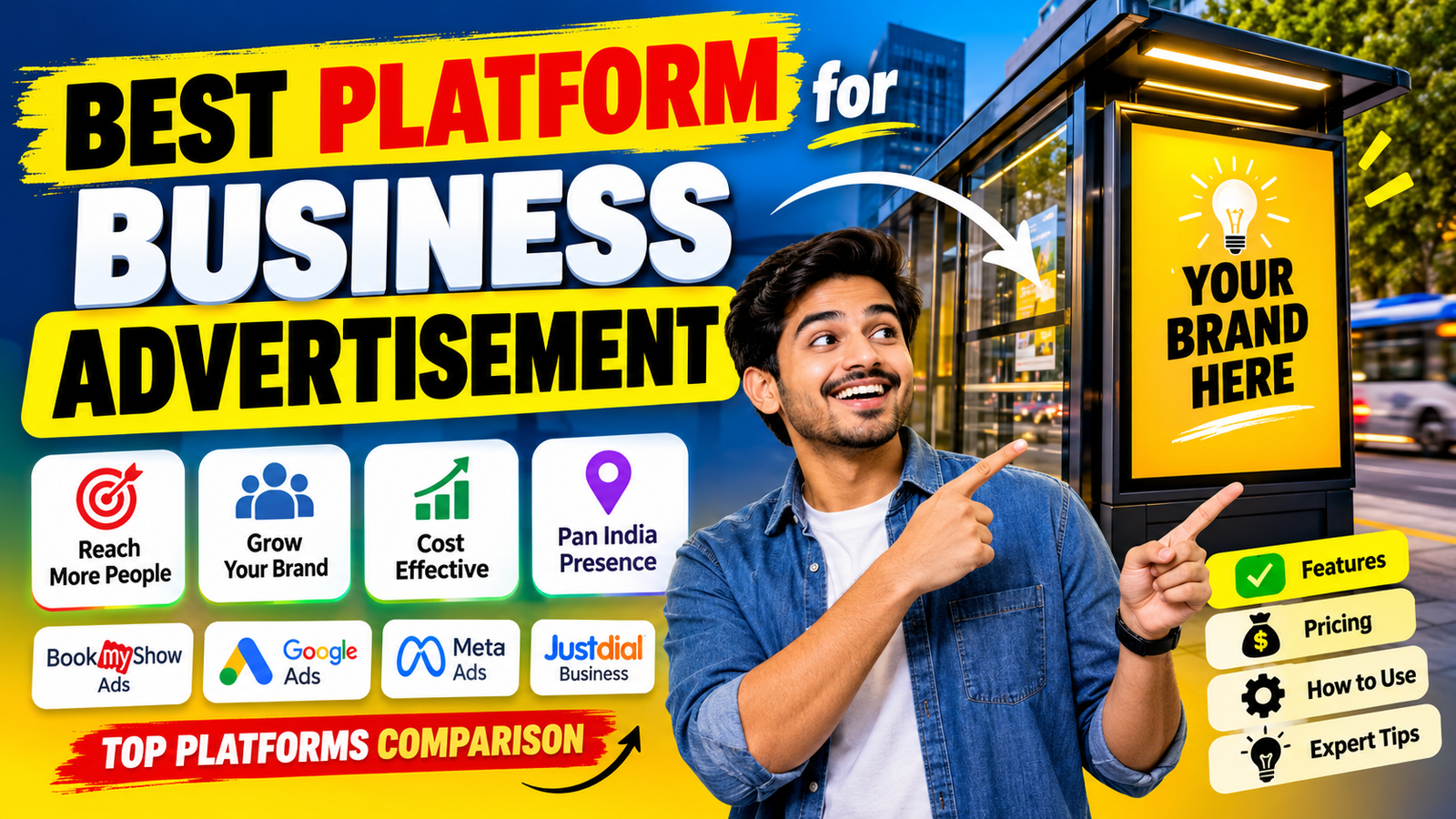
आज के समय में किसी भी Business को Grow करने के लिए सिर्फ अच्छी Product या Service होना काफी नहीं है। अगर आप चाहते हैं कि ज्यादा से ज्यादा लोग आपके Business के बारे में जानें, नए Customers मिलें और आपकी Sales बढ़े, तो आपको सही Digital Advertising Platform का इस्तेमाल करना होगा।
मान लीजिए कि आपकी एक Clothing Shop है। आप अपनी दुकान में अच्छी Quality के कपड़े रखते हैं, Pricing भी सही है और Customer Service भी अच्छी है। लेकिन समस्या यह है कि आपके आसपास के कुछ लोगों को छोड़कर दूसरे लोगों को आपकी दुकान के बारे में पता ही नहीं है। ऐसे में आप अपने Business को कैसे Grow करेंगे?
पहले के समय में Business Advertisement के लिए Newspaper, Pamphlet, Banner, Radio और Television जैसे माध्यमों का इस्तेमाल किया जाता था। लेकिन आज Digital Marketing ने Advertising का तरीका पूरी तरह बदल दिया है। अब आप अपने Smartphone या Computer से हजारों या लाखों लोगों तक अपने Business का Advertisement पहुंचा सकते हैं।
सबसे अच्छी बात यह है कि आपको हर किसी को Advertisement दिखाने की जरूरत नहीं है। आप अपनी Target Audience को चुन सकते हैं। उदाहरण के लिए, अगर आप Kareli या Narsinghpur में कोई Coaching Institute चलाते हैं, तो आप अपना Advertisement सिर्फ उसी Area के Students और Parents तक पहुंचा सकते हैं।
लेकिन यहां एक सवाल आता है – Business Advertisement के लिए सबसे अच्छा Platform कौन-सा है?
क्या आपको Facebook Ads इस्तेमाल करना चाहिए? क्या Instagram से ज्यादा Customers मिलेंगे? क्या Google Ads पर पैसा खर्च करना फायदेमंद है? या फिर YouTube और LinkedIn आपके Business के लिए बेहतर रहेंगे?
इस Article में हम 2026 के प्रमुख Digital Advertising Platforms को विस्तार से समझेंगे। आप जानेंगे कि कौन-सा Platform किस प्रकार के Business के लिए उपयोगी है, Advertising कैसे शुरू करें, कितना Budget रखना चाहिए और अपने Advertisement से बेहतर Results कैसे प्राप्त कर सकते हैं।
विषय सूची (Table of Contents)
Business Advertisement क्या है?
2026 में Digital Advertising क्यों Trending है?
Business Advertisement के लिए 7 Best Platforms
प्रत्येक Platform के Key Features
Facebook और Instagram Ads कैसे चलाएं?
Google Ads कैसे काम करता है?
Advertising Platforms का Comparison
Digital Advertising के फायदे और नुकसान
भारत में Advertising Pricing और Budget
किस Business के लिए कौन-सा Platform सही है?
Advertisement में AI Tools का इस्तेमाल
बेहतर Advertising Results के लिए Expert Tips
Conclusion
1. Business Advertisement क्या है? (What is Business Advertising?)
Business Advertisement का मतलब है अपने Product, Service, Brand या Business की जानकारी लोगों तक पहुंचाना, ताकि वे आपके Business के बारे में जानें और आपकी Services या Products खरीदने में रुचि दिखाएं।
पहले Advertisement के लिए Newspaper, Magazine, TV और Radio जैसे Traditional Marketing Channels का इस्तेमाल किया जाता था। लेकिन अब Internet और Social Media के कारण Digital Advertising काफी लोकप्रिय हो गई है।
Digital Advertising में आप Facebook, Instagram, Google, YouTube और अन्य Online Platforms पर Paid Advertisement चला सकते हैं।
उदाहरण के लिए:
- अगर आपकी एक Garments Shop है, तो आप Instagram पर अपने नए कपड़ों की Photos और Videos का Advertisement चला सकते हैं।
- अगर आप Software Development Company चलाते हैं, तो Google Ads के माध्यम से उन लोगों तक पहुंच सकते हैं जो Software Development Services Search कर रहे हैं।
- अगर आपका Coaching Institute है, तो Facebook और Instagram पर अपने Courses का Advertisement दिखा सकते हैं।
- अगर आप एक Real Estate Business चलाते हैं, तो Facebook Lead Ads के माध्यम से Property खरीदने में Interested लोगों की जानकारी प्राप्त कर सकते हैं।
Digital Advertising की सबसे बड़ी खासियत यह है कि आप अपने Advertisement को अपनी जरूरत के अनुसार Control कर सकते हैं।
आप तय कर सकते हैं:
- Advertisement किस Location में दिखेगा।
- किस Age Group के लोगों को दिखेगा।
- किस प्रकार की Audience को Target करना है।
- Advertisement पर कितना Budget खर्च करना है।
- Advertisement कितने दिनों तक चलाना है।
- कितने लोगों ने Advertisement देखा और उस पर Click किया।
इस प्रकार Digital Advertising आपको अपने Marketing Budget का बेहतर इस्तेमाल करने में मदद करती है।
2. 2026 में Digital Advertising क्यों Trending है?
2026 में Digital Advertising Businesses के लिए एक महत्वपूर्ण Marketing Strategy बन चुकी है। छोटे दुकानदारों से लेकर बड़ी Companies तक, सभी अपने Customers तक पहुंचने के लिए Online Advertising का इस्तेमाल कर रहे हैं।
इसके पीछे कई कारण हैं।
2.1 Smartphone और Internet का बढ़ता इस्तेमाल
आज भारत में बड़ी संख्या में लोग Smartphone और Internet का इस्तेमाल करते हैं। लोग Shopping करने, नई Services खोजने, Videos देखने और Products की जानकारी प्राप्त करने के लिए Online Platforms पर समय बिताते हैं।
इसलिए Businesses के लिए अपने Potential Customers तक पहुंचना आसान हुआ है।
2.2 कम Budget में Advertisement
Traditional Advertising में Newspaper या Television पर Advertisement देने के लिए काफी पैसा खर्च करना पड़ सकता है।
लेकिन Digital Advertising में आप अपनी क्षमता के अनुसार Budget निर्धारित कर सकते हैं।
उदाहरण के लिए, आप ₹200 प्रतिदिन के Budget से भी एक छोटा Advertising Campaign शुरू कर सकते हैं। हालांकि वास्तविक Reach और Results Competition, Audience और Campaign Settings पर निर्भर करेंगे।
2.3 Target Audience तक पहुंच
Digital Advertising में आप अपने Business के अनुसार Audience Target कर सकते हैं।
उदाहरण के लिए:
- Location: Madhya Pradesh
- Age: 18–35 Years
- Interest: Education, Technology
- Gender: आवश्यकता के अनुसार
- Language: Hindi या English
इससे Advertisement को Relevant लोगों तक पहुंचाने में मदद मिलती है।
2.4 AI और Automation का इस्तेमाल
2026 में AI की मदद से Advertising पहले से ज्यादा आसान हो गई है।
अब कई Advertising Platforms AI की मदद से:
- Advertisement के लिए Audience Suggestions देते हैं।
- Images और Videos बनाने में मदद करते हैं।
- Ad Copy और Headlines Generate करते हैं।
- Campaign Performance को Optimize करते हैं।
- बेहतर Results के लिए Creative Variations Test करते हैं।
इससे छोटे Business Owners भी Professional Advertising Campaign चला सकते हैं।
2.5 Advertisement का Result Track करना
Digital Advertising का एक बड़ा फायदा यह है कि आप अपने Campaign की Performance को Track कर सकते हैं।
आप जान सकते हैं:
- कितने लोगों ने Advertisement देखा?
- कितने लोगों ने Click किया?
- कितने लोगों ने WhatsApp पर Message किया?
- कितने लोगों ने Form Submit किया?
- कितने Customers ने Purchase किया?
यही कारण है कि Digital Advertising 2026 में Businesses के लिए एक महत्वपूर्ण विकल्प है।
3. Business Advertisement के लिए 7 Best Platforms in 2026
अब हम उन प्रमुख Platforms के बारे में जानेंगे जिनका इस्तेमाल करके आप अपने Business की Online Advertising कर सकते हैं।
1. Meta Ads
Facebook और Instagram पर Products, Services और Local Business का Advertisement करने के लिए।
2. Google Ads
Google Search, Display Network और अन्य Google properties पर उन लोगों तक पहुंचने के लिए जो आपके Products या Services खोज रहे हैं।
3. YouTube Ads
Video Advertisement, Product Demonstration और Brand Awareness के लिए।
4. LinkedIn Ads
Professional Audience, Corporate Clients और B2B Lead Generation के लिए।
5. WhatsApp Business
Customer Enquiry, Direct Conversation और WhatsApp पर Sales के लिए।
6. Pinterest Ads
Fashion, Home Decor, Interior Design और Lifestyle Products को Visual तरीके से Promote करने के लिए।
7. Amazon Ads
Amazon Marketplace पर अपने Products की Visibility और Sales बढ़ाने के लिए।
3.1 Meta Ads – Facebook और Instagram Advertising
अगर आपका Business Retail, Clothing, Beauty Products, Restaurant, Coaching Institute, Photography Studio या किसी Local Service से जुड़ा है, तो Meta Ads आपके लिए एक उपयोगी Advertising Platform हो सकता है।
Meta Ads के माध्यम से आप एक ही Ads Manager से Facebook और Instagram पर Advertisement Campaign चला सकते हैं।
Key Features:
1. Audience Targeting
आप Location, Age, Gender और उपलब्ध Audience Signals के आधार पर अपने संभावित Customers तक पहुंच सकते हैं।
उदाहरण: अगर आपकी Narsinghpur में Photography Studio है, तो आप अपने आसपास के लोगों को Wedding Photography और Pre-Wedding Photography का Advertisement दिखा सकते हैं।
2. Multiple Ad Formats
Meta पर आप कई प्रकार के Advertisement चला सकते हैं:
- Image Ads
- Video Ads
- Carousel Ads
- Stories Ads
- Reels Ads
- Lead Generation Ads
- Click-to-WhatsApp Ads
3. Lead Generation
अगर आप कोई Service बेचते हैं, तो आप Lead Form Advertisement चला सकते हैं। Interested व्यक्ति अपना Name, Mobile Number और अन्य जानकारी Submit कर सकता है।
4. Retargeting
आप उन लोगों को दोबारा Advertisement दिखा सकते हैं जिन्होंने पहले आपकी Website Visit की, आपके Product में Interest दिखाया या आपके Business के साथ Interaction किया है। इसके लिए सही Tracking Setup की जरूरत हो सकती है।
5. Meta Ads Manager
Meta Ads Manager में आप Campaign, Ad Set और Advertisement को Manage कर सकते हैं। यहां आपको Budget, Reach, Impressions, Clicks और Conversions जैसी जानकारी मिलती है।
किसके लिए उपयोगी है?
- Local Shops
- Restaurants
- Clothing Brands
- Coaching Institutes
- Real Estate
- Photographers
- Beauty Parlours
- E-commerce Businesses
3.2 Google Ads – Google Search पर Customers खोजें
Google Ads उन Businesses के लिए उपयोगी है जो ऐसे Customers तक पहुंचना चाहते हैं जो पहले से किसी Product या Service को Search कर रहे हैं।
उदाहरण के लिए, कोई व्यक्ति Google पर Search करता है:
- Best Wedding Photographer in Narsinghpur
- Website Development Company in India
- Best Coaching Institute Near Me
- CCTV Camera Installation Service
ऐसे समय में आपका Advertisement Search Results में दिखाई दे सकता है, अगर आपका Campaign उस Search के लिए Eligible है और Auction में प्रतिस्पर्धा कर पाता है।
Google Ads के प्रमुख Features:
1. Search Ads
जब कोई User Google पर आपके Business से संबंधित Keyword Search करता है, तब आपका Text Advertisement दिखाई दे सकता है।
2. Display Ads
आप Image और Banner के माध्यम से Google Display Network पर Advertisement दिखा सकते हैं।
3. Shopping Ads
E-commerce Business अपने Products, Images और Prices को Shopping Placements में Promote कर सकते हैं।
4. YouTube Video Campaigns
Google Ads के माध्यम से YouTube पर भी Video Advertisement चलाए जा सकते हैं।
5. Location-Based Advertising
आप अपने Business के आसपास के Potential Customers को Target कर सकते हैं।
6. Conversion Tracking
आप Track कर सकते हैं कि Advertisement से कितने लोगों ने Call किया, Form Submit किया या Purchase किया।
Google Ads में CPC यानी Cost Per Click एक महत्वपूर्ण Pricing Model है। इसमें कई Search Campaigns में आपको Click के आधार पर Charge किया जाता है। Actual Cost Keyword Competition, Bid और अन्य Factors पर निर्भर करती है।
Google Ads+2
किसके लिए उपयोगी है?
- Software Companies
- Digital Marketing Agencies
- Website Development Companies
- Hospitals और Clinics
- Hotels
- Educational Institutes
- Home Services
- Professional Consultants
3.3 YouTube Ads – Video के माध्यम से Business Promotion
आज लोग Entertainment के साथ-साथ नई चीजें सीखने, Products की Reviews देखने और Services की जानकारी प्राप्त करने के लिए YouTube का इस्तेमाल करते हैं।
इसलिए Video Advertisement के माध्यम से अपने Business को Promote करना एक अच्छा विकल्प हो सकता है।
मान लीजिए कि आप एक Software Company चलाते हैं। आप अपने Software का 30-Second Demo Video बनाकर YouTube पर Advertisement चला सकते हैं।
YouTube Ads के Features:
- Skippable In-Stream Ads: Video शुरू होने या उसके दौरान Advertisement दिखता है, जिसे कुछ सेकंड बाद Skip किया जा सकता है।
- Non-Skippable Ads: ऐसे Video Ads जिन्हें Viewer Skip नहीं कर सकता।
- In-Feed Video Ads: YouTube के विभिन्न Discovery Placements में दिखाई देने वाले Video Ads।
- Bumper Ads: छोटे, Non-Skippable Video Ads, आमतौर पर 6 सेकंड तक।
- YouTube Shorts Ads: Shorts Viewing Experience में दिखने वाले Vertical Video Ads।
Google Ads में इन Video Formats को अलग-अलग Marketing Objectives के अनुसार इस्तेमाल किया जा सकता है।
YouTube Help+1
किसके लिए उपयोगी है?
- Product Manufacturers
- Educational Institutes
- Automobile Dealers
- Software Companies
- Real Estate Developers
- Consumer Brands
3.4 LinkedIn Ads – Professional और B2B Advertising
अगर आपका Business दूसरे Businesses को Services देता है, तो LinkedIn Ads एक उपयोगी Platform है।
उदाहरण के लिए, आप एक SaaS Software Company चलाते हैं और आपका Software छोटे Businesses के बजाय बड़े Corporate Organisations के लिए बनाया गया है।
ऐसे में LinkedIn पर आप Job Title, Company, Industry और Skills जैसे Professional Criteria के आधार पर Audience Target कर सकते हैं।
Key Features:
- Sponsored Content
- Message Ads (जहां उपलब्ध हों)
- Lead Generation Forms
- Company और Job Title Targeting
- Professional Audience Targeting
- Campaign Performance Reporting
Example: मान लीजिए कि आप HR Management Software बेचते हैं। आप HR Managers, HR Directors और Business Owners तक अपने Advertisement पहुंचाने का प्रयास कर सकते हैं।
किसके लिए उपयोगी है?
- SaaS Companies
- IT Companies
- Software Developers
- Business Consultants
- Corporate Training Providers
- Recruitment Agencies
LinkedIn Campaign Manager में Daily Budget और Lifetime Budget जैसे विकल्प उपलब्ध हैं। Advertising Auction के आधार पर Cost निर्धारित होती है।
3.5 WhatsApp Business – Customer से Direct बातचीत
भारत में बहुत से छोटे और मध्यम Businesses Customers से बातचीत करने, Product Details भेजने और Orders लेने के लिए WhatsApp का इस्तेमाल करते हैं।
WhatsApp Business का सबसे बड़ा फायदा यह है कि Customer आपके Business से Direct Chat कर सकता है।
एक महत्वपूर्ण बात समझें: WhatsApp Business App खुद Facebook या Google जैसा सामान्य Standalone Ads Network नहीं है। इसके माध्यम से आप Business Profile और Customer Communication Manage कर सकते हैं। वहीं Meta पर Click-to-WhatsApp Ads चलाकर लोगों को सीधे WhatsApp Chat में भेज सकते हैं।
Key Features:
- Business Profile
- Product Catalog
- Quick Replies
- Greeting Message
- Away Message
- Customer Labels
- Direct Customer Communication
- Click-to-WhatsApp Advertising
Real Example:
आपकी एक Furniture Shop है। आप Sofa और Bed की Photos के साथ Instagram पर Advertisement चलाते हैं।
जब Customer Advertisement पर Click करता है, तो WhatsApp Chat Open हो जाती है। अब वह Price, Size, Delivery और Availability के बारे में पूछ सकता है।
Meta के अनुसार Click-to-WhatsApp Ads Facebook और Instagram पर उपलब्ध Placements के माध्यम से Customer को Business Chat तक पहुंचा सकते हैं।
3.6 Pinterest Ads – Visual Products के लिए Advertising
Pinterest एक Visual Discovery Platform है जहां लोग Ideas, Inspiration, Designs और Products खोजते हैं।
अगर आपका Business ऐसी Category में है जहां Images और Designs महत्वपूर्ण भूमिका निभाते हैं, तो Pinterest आपके लिए उपयोगी हो सकता है।
Key Features:
- Promoted Pins
- Image और Video Ads
- Product Discovery
- Shopping-Focused Content
- Audience Insights
Example: अगर आप Interior Design Business चलाते हैं, तो आप Modern Bedroom Design, Modular Kitchen और Home Decoration से संबंधित Visual Content Promote कर सकते हैं।
किसके लिए उपयोगी है?
- Interior Designers
- Fashion Brands
- Jewellery Businesses
- Home Decor Brands
- Wedding Planners
- Lifestyle Products
3.7 Amazon Ads – Online Product Selling के लिए
अगर आप Amazon पर Products Sell करते हैं, तो Amazon Ads आपके Product की Visibility बढ़ाने में मदद कर सकता है।
उदाहरण के लिए, आप Amazon पर Mobile Accessories बेचते हैं। जब कोई व्यक्ति Amazon पर Mobile Charger Search करता है, तो आपके Eligible Sponsored Product का Advertisement Search Results में दिखाई दे सकता है।
Key Features:
- Sponsored Products
- Sponsored Brands
- Sponsored Display (उपलब्धता और Eligibility के अनुसार)
- Keyword Targeting
- Product Targeting
- Campaign Reporting
किसके लिए उपयोगी है?
- Amazon Sellers
- Product Manufacturers
- Private Label Brands
- E-commerce Businesses
4. Business Advertisement Platforms के Key Features का Comparison
| Platform | मुख्य उद्देश्य | उपयुक्त Business |
| Meta Ads | Leads और Sales | Local और B2C |
| Google Ads | Search Traffic और Leads | Service Business |
| YouTube Ads | Brand Awareness | Product Brands |
| LinkedIn Ads | B2B Leads | SaaS और IT |
| WhatsApp Business | Customer Communication | Local Shops |
| Pinterest Ads | Visual Discovery | Fashion और Decor |
| Amazon Ads | Marketplace Sales | Online Sellers |
ध्यान रखें कि किसी Platform की सफलता सिर्फ उसके Features पर निर्भर नहीं करती। आपके Product, Audience, Budget, Advertisement Creative और Sales Process का भी बड़ा योगदान होता है।
5. Deep-Dive Guide: Facebook और Instagram Ads कैसे चलाएं?
अगर आप पहली बार Digital Advertising शुरू कर रहे हैं, तो Meta Ads एक अच्छा Starting Point हो सकता है, खासकर जब आपको अपने Products या Services के लिए Local Leads और Customer Enquiries चाहिए।
आइए Step-by-Step समझते हैं।
Step 1: Business Profile तैयार करें
सबसे पहले अपना Facebook Business Page और Instagram Business Account तैयार करें।
इनमें निम्न जानकारी होनी चाहिए:
- Business Name
- Logo
- Business Description
- Contact Number
- Website
- Address
- Products और Services की जानकारी
आपकी Profile जितनी Professional होगी, Customers के लिए आपके Business पर भरोसा करना उतना आसान हो सकता है।
Step 2: Meta Business Suite और Ads Manager Setup करें
Meta Business Suite और Ads Manager का इस्तेमाल करके आप अपने Facebook और Instagram Business Accounts को Manage कर सकते हैं।
यहां अपना Business Account और Ad Account Setup करें। Payment Method Add करें और आवश्यक Permissions Configure करें।
Step 3: Advertising Objective चुनें
अब आपको तय करना है कि Advertisement से आप क्या हासिल करना चाहते हैं।
उदाहरण:
- Awareness: ज्यादा लोगों तक Business पहुंचाना।
- Traffic: Website पर Visitors लाना।
- Engagement: Likes, Comments और Interactions बढ़ाना।
- Leads: Interested Customers की Details प्राप्त करना।
- Sales: Product या Service की Purchase बढ़ाना।
- App Promotion: अपने Mobile App के Downloads या App Actions बढ़ाना।
आपके Business Goal के अनुसार Objective चुनना जरूरी है।
Step 4: Target Audience Select करें
अब Audience Select करें।
उदाहरण के लिए, अगर आपका Business Kareli में है:
- Location: Kareli और आसपास का Area
- Age: 18–40 Years
- Gender: आवश्यकता के अनुसार
- Language: Hindi
- Interest: आपके Business से Relevant Interests
ध्यान दें कि बहुत ज्यादा Narrow Audience या बिना सोचे-समझे बहुत Broad Audience चुनना दोनों ही समस्याएं पैदा कर सकते हैं। Campaign Data के आधार पर Audience को Optimize करें।
Step 5: Advertisement Creative तैयार करें
यह आपके Campaign का सबसे महत्वपूर्ण हिस्सा है।
आपका Advertisement देखने में Attractive और समझने में आसान होना चाहिए।
एक अच्छे Advertisement में ये चीजें होनी चाहिए:
- Clear Headline
- High-Quality Image या Video
- Product या Service की जानकारी
- Unique Selling Point
- Price या Offer (यदि लागू हो)
- Strong Call to Action
उदाहरण:
Headline: अपने Business के लिए Professional Website बनवाएं!
Description: Affordable Price में Modern, Mobile-Friendly और SEO-Ready Website Development Service प्राप्त करें।
CTA: WhatsApp पर संपर्क करें।
Step 6: Budget और Duration सेट करें
अब अपने Campaign का Daily या Lifetime Budget निर्धारित करें।
शुरुआत में आप अपने Business की क्षमता के अनुसार छोटा Test Budget रख सकते हैं।
उदाहरण:
- Daily Budget: ₹300
- Duration: 7 Days
- Total Planned Budget: ₹2,100
यह केवल एक उदाहरण है, कोई Guaranteed Performance Budget नहीं।
Step 7: Advertisement Publish करें
सभी Settings Check करने के बाद Advertisement Publish करें।
Meta Advertisement को Review करता है। Approval मिलने के बाद आपका Campaign चलना शुरू हो सकता है।
Step 8: Results Analyze करें
Campaign चलने के बाद केवल Likes और Reach देखकर निर्णय न लें।
इन Metrics पर ध्यान दें:
- Reach
- Impressions
- CTR (Click Through Rate)
- CPC (Cost Per Click)
- CPM (Cost Per 1,000 Impressions)
- Leads
- Cost Per Lead
- Conversion Rate
- ROAS (Return on Ad Spend)
उदाहरण के लिए, अगर आपको 50 Leads मिलती हैं और आपका Advertising Spend ₹2,500 है, तो:
\[ Cost\ Per\ Lead = \frac{2500}{50} = ₹50 \]
अब आपको देखना होगा कि उन 50 Leads में से कितने वास्तविक Customers बने।
Step 1: Google Ads पर जाएं और Account बनाएं।
Step 2: अपना Business Name और Website URL दर्ज करें।
Step 3: Campaign Objective चुनें, जैसे Leads, Sales या Website Traffic।
Step 4: Campaign Type चुनें। उदाहरण के लिए Search Campaign।
Step 5: अपने Business से संबंधित Keywords चुनें।
उदाहरण:
- Website Developer in India
- Best Photographer Near Me
- Accounting Software for Small Business
- Digital Marketing Services
Step 6: Advertisement Headline और Description लिखें।
Step 7: Location, Language और Audience Settings Configure करें।
Step 8: Daily Budget और Bidding Strategy निर्धारित करें।
Step 9: Conversion Tracking Setup करें।
Step 10: Campaign Review करके Launch करें।
एक जरूरी Expert Tip: Google Search Ads में सिर्फ Broad Keywords पर निर्भर न रहें। Relevant Search Terms, Negative Keywords और Conversion Data को नियमित रूप से Check करें।
7. Digital Advertising के फायदे और नुकसान (Pros & Cons)
Digital Advertising के कई फायदे हैं, लेकिन इसके कुछ Challenges भी हैं। किसी भी Platform पर पैसा खर्च करने से पहले इन्हें समझना जरूरी है।
| फायदे (Pros) | नुकसान (Cons) |
| कम Budget से शुरुआत कर सकते हैं | Competition के कारण Advertising Cost बढ़ सकती है |
| सही Audience Target कर सकते हैं | गलत Targeting से Budget Waste हो सकता है |
| Campaign Results Track कर सकते हैं | Campaign Management सीखना पड़ता है |
| अलग-अलग Creative Test कर सकते हैं | लगातार नए Creatives बनाने पड़ते हैं |
| Local और Global दोनों Audience तक पहुंच | सभी Leads वास्तविक Customers नहीं बनते |
| Advertising को कभी भी Pause कर सकते हैं | Ads पर निर्भर रहने से Long-Term Organic Growth प्रभावित हो सकती है |
मेरी सलाह: Digital Advertising को सिर्फ पैसे खर्च करने का माध्यम न समझें। इसे Customer Acquisition और Business Growth की एक व्यवस्थित प्रक्रिया के रूप में इस्तेमाल करें।
8. भारत में Business Advertisement की Pricing और Budget (2026)
एक सामान्य सवाल जो हर Business Owner के मन में आता है, वह है कि Digital Advertising के लिए कितना पैसा खर्च करना चाहिए?
इसका कोई एक Fixed Answer नहीं है। अलग-अलग Platforms और Industries में Advertising Cost अलग होती है।
उदाहरण के लिए, Clothing Products और Financial Services की Advertising Cost एक जैसी नहीं होगी।
8.1 Platform के अनुसार Advertising Budget
नीचे दिए गए Budget छोटे Business के लिए शुरुआती Planning Examples हैं, Official Minimum Rates या Guaranteed Results नहीं।
| Platform | Suggested Testing Budget | मुख्य उपयोग |
| Facebook Ads | ₹200–₹500/Day | Local Leads |
| Instagram Ads | ₹200–₹500/Day | Product Promotion |
| Google Search Ads | ₹300–₹1,000/Day | Search Leads |
| YouTube Ads | ₹300–₹800/Day | Video Promotion |
| LinkedIn Ads | ₹1,000+/Day | B2B Leads |
| Pinterest Ads | ₹300–₹700/Day | Visual Promotion |
| Amazon Ads | ₹200–₹500/Day | Product Sales |
ये सुझाव आपके Market, Competition और Campaign Objective के अनुसार बदल सकते हैं। विशेष रूप से LinkedIn में वास्तविक Cost अधिक हो सकती है।
8.2 ₹5,000 के Budget में Advertising कैसे करें?
मान लीजिए कि आपके पास एक महीने के लिए ₹5,000 का Advertising Budget है।
आप इसे इस तरह इस्तेमाल कर सकते हैं:
Example: ₹5,000 Monthly Advertising Plan
₹5,000
कुल Planned Advertising Spend
Meta Ads
₹2,500
Google Ads
₹1,500
Creative Testing
₹1,000
यह एक उदाहरण Budget Allocation है। Creative Testing में Production Cost शामिल हो सकती है; यह जरूरी नहीं कि पूरा Amount Platform पर खर्च हो।
इस तरह आप एक साथ दो अलग-अलग Advertising Channels की Performance को Compare कर सकते हैं।
8.3 Advertising Cost किन बातों पर निर्भर करती है?
- Industry: कुछ Industries में Competition अधिक होता है।
- Location: Metro Cities और छोटे शहरों में Cost अलग हो सकती है।
- Audience: Specific Audience को Target करने में अधिक Cost आ सकती है।
- Creative Quality: अच्छा Advertisement बेहतर Engagement ला सकता है।
- Campaign Objective: Reach, Clicks, Leads और Purchases के लिए Cost अलग हो सकती है।
- Competition: Advertising Auction में दूसरे Advertisers की Bids भी महत्वपूर्ण होती हैं।
Google Ads में Average Daily Budget और Monthly Spending Limit का इस्तेमाल किया जाता है। Google के अनुसार Monthly Spending Limit निकालने के लिए Average Daily Budget को 30.4 से Multiply किया जाता है।
Google Ads+1
ध्यान रखें कि GST, लागू Taxes और अन्य Service Charges को अपने Total Marketing Budget में शामिल करें। Agency या Freelancer की Management Fee भी Advertising Spend से अलग हो सकती है।
9. किस Business के लिए कौन-सा Advertising Platform सही है?
हर Business का Customer अलग होता है। इसलिए सभी Businesses के लिए एक ही Advertising Platform सही नहीं हो सकता।
आइए कुछ Real-World Examples देखते हैं।
9.1 Local Shop और Retail Business
अगर आपकी कोई Clothing Shop, Mobile Shop, Electronics Shop या General Store है, तो आप Facebook और Instagram Ads का इस्तेमाल कर सकते हैं।
Recommended Platforms:
- Facebook Ads
- Instagram Ads
- Google Business Profile
- WhatsApp Business
आप Local Audience को New Arrivals, Festival Offers और Special Discounts दिखा सकते हैं।
9.2 Coaching Institute और Educational Business
अगर आप Coaching Institute, Computer Institute या Skill Development Centre चलाते हैं, तो आपको Students और Parents तक पहुंचना होगा।
Recommended Platforms:
- Facebook Ads
- Instagram Ads
- Google Search Ads
- YouTube Ads
आप Admission Open, New Batch और Free Demo Class के लिए Advertisement चला सकते हैं।
9.3 Software Company और SaaS Business
अगर आप Software, CRM, ERP या SaaS Products बेचते हैं, तो आपको ऐसे Customers चाहिए जिन्हें वास्तव में Software की जरूरत हो।
Recommended Platforms:
- Google Search Ads
- LinkedIn Ads
- YouTube Ads
- Meta Ads
उदाहरण के लिए, अगर आप Accounting Software बेचते हैं, तो Google पर Accounting Software for Small Business जैसे Keywords के माध्यम से Potential Customers तक पहुंच सकते हैं।
9.4 Photography Studio और Creative Business
Photography, Videography और Graphic Design जैसे Businesses के लिए Visual Content बहुत महत्वपूर्ण है।
Recommended Platforms:
- Instagram Ads
- Facebook Ads
- Pinterest Ads
- Google Search Ads
आप अपने Best Wedding Photos, Pre-Wedding Shoots और Event Photography Videos के माध्यम से Customers आकर्षित कर सकते हैं।
9.5 E-commerce और Online Product Business
अगर आप Online Products Sell करते हैं, तो आप इन Platforms का इस्तेमाल कर सकते हैं:
- Meta Ads
- Google Shopping Ads
- YouTube Ads
- Amazon Ads
यहां Product Images, Customer Reviews, Pricing और Retargeting महत्वपूर्ण भूमिका निभाते हैं।
10. Business Advertisement के लिए Alternative Tools और Platforms
Advertising Platforms के अलावा कुछ ऐसे Tools भी हैं जिनकी मदद से आप अपने Advertisement को Professional बना सकते हैं।
Canva
Advertisement Posters, Social Media Creatives, Banners और Promotional Videos बनाने के लिए उपयोगी।
Adobe Express
Professional Graphics, Brand Designs और Social Media Content तैयार करने के लिए।
Google Analytics 4
Website Visitors, Traffic Sources और User Behaviour को Analyze करने के लिए।
Google Tag Manager
Website पर Marketing और Analytics Tracking Tags को Manage करने के लिए।
एक बात याद रखें: Canva और Adobe Express Advertisement बनाने के Tools हैं, जबकि Meta Ads और Google Ads Advertisement Distribute करने के Platforms हैं। दोनों की भूमिका अलग-अलग है।
11. Advertisement में AI Tools का इस्तेमाल कैसे करें?
2026 में AI ने Digital Marketing और Advertisement Creation के तरीके को काफी आसान बनाया है।
अब आपको हर Advertisement के लिए अलग-अलग Designer, Video Editor या Content Writer की जरूरत नहीं पड़ती। AI Tools की मदद से आप कई Creative Tasks तेजी से पूरे कर सकते हैं।
11.1 AI से Advertisement Copy लिखें
आप ChatGPT जैसे AI Tools से Advertisement के लिए Headlines, Descriptions और Call-to-Action तैयार कर सकते हैं।
उदाहरण Prompt:
“Write 5 engaging Facebook ad copies in simple Hindi for a local computer institute offering graphic design, web development and digital marketing courses.”
इससे आपको अलग-अलग Advertising Ideas मिल सकते हैं।
11.2 AI से Advertisement Images बनाएं
10
AI Image Generation Tools की मदद से आप Product Promotion, Social Media Posters और Campaign Creatives बना सकते हैं।
कुछ उपयोगी Tools:
- ChatGPT
- Adobe Firefly
- Canva AI
- Ideogram
ध्यान दें कि Product Advertisement में वास्तविक Product की Packaging, Logo और आवश्यक जानकारी सही होनी चाहिए। AI से बनाई गई गलत Product Representation Customers को भ्रमित कर सकती है।
11.3 AI से Promotional Videos बनाएं
अगर आप Instagram Reels और YouTube Shorts के लिए Promotional Videos बनाना चाहते हैं, तो AI Video Tools का इस्तेमाल कर सकते हैं।
उदाहरण:
- Runway
- Adobe Firefly
- CapCut
- Google Veo
आप Product Demo, Promotional Video, Explainer Video और Brand Story जैसे Content तैयार कर सकते हैं।
11.4 AI से Advertisement Performance Improve करें
AI सिर्फ Creative बनाने के लिए नहीं है। Advertising Platforms में भी Automation और AI-Based Optimization Features उपलब्ध हैं।
इनकी मदद से:
- Audience Suggestions प्राप्त कर सकते हैं।
- Creative Variations Test कर सकते हैं।
- Campaign Performance Analyze कर सकते हैं।
- Conversion Optimization में मदद ले सकते हैं।
- Reporting और Marketing Analysis को आसान बना सकते हैं।
Expert Tip: AI से Advertisement बनवाना आसान है, लेकिन सही Audience, सही Offer और सही Marketing Strategy चुनना अभी भी बहुत जरूरी है।
12. Better Advertising Results के लिए 10 Expert Tips
अगर आप अपने Advertising Budget से बेहतर Results चाहते हैं, तो इन बातों का ध्यान रखें।
1. सबसे पहले अपना Target Customer पहचानें।
आपका Product किसके लिए है? उनकी Age, Location, Requirements और Buying Behaviour समझें।
2. एक Clear Marketing Goal रखें।
आपको Leads चाहिए, Website Traffic चाहिए या Direct Sales? पहले तय करें।
3. एक ही Creative पर निर्भर न रहें।
कम से कम 2–3 अलग-अलग Creative Variations Test करें।
4. Strong Headline लिखें।
आपका Advertisement पहली नजर में समझ आना चाहिए।
5. Clear CTA दें।
उदाहरण: Buy Now, Contact Us, Book Appointment या WhatsApp Now।
6. Landing Page को Optimize करें।
अगर आप Website पर Traffic भेज रहे हैं, तो Website Mobile-Friendly और Fast Loading होनी चाहिए।
7. Conversion Tracking जरूर लगाएं।
सिर्फ Clicks से Business Growth का पता नहीं चलता। वास्तविक Leads और Sales Track करें।
8. Retargeting का इस्तेमाल करें।
पहले से Interest दिखाने वाले लोगों तक दोबारा पहुंचने की Strategy बनाएं।
9. Advertisement को नियमित रूप से Analyze करें।
हर दिन बिना Data देखे Campaign में बदलाव न करें। पर्याप्त Data मिलने पर निर्णय लें।
10. Leads का Follow-up करें।
कई Businesses Advertisement पर पैसा खर्च करते हैं लेकिन Customer को समय पर Reply नहीं देते।
याद रखें, Advertisement से Lead मिलना पहला Step है। उसे Customer में बदलना आपके Sales Process पर निर्भर करता है।
13. My Opinion – मेरी राय में Business Advertisement के लिए कौन-सा Platform चुनना चाहिए?
मेरे अनुसार, किसी एक Platform को हर Business के लिए Best कहना सही नहीं होगा।
आपको Platform अपने Business Model और Customer Behaviour के अनुसार चुनना चाहिए।
मेरी Recommendation इस प्रकार है:
| आपकी जरूरत | मेरी Recommendation |
| Local Business Promotion | Meta Ads |
| Google पर Search करने वाले Customers | Google Ads |
| Video Advertisement | YouTube Ads |
| Corporate और B2B Clients | LinkedIn Ads |
| Direct Customer Enquiry | WhatsApp Business + Meta Ads |
| Amazon Product Sales | Amazon Ads |
| Fashion और Interior Designs | Pinterest Ads |
मेरी सबसे महत्वपूर्ण सलाह
अगर आप एक Small Business Owner हैं और पहली बार Advertising शुरू कर रहे हैं, तो शुरुआत में एक या दो Platforms पर Focus करें।
उदाहरण के लिए:
Local Business के लिए:
Instagram + Facebook + WhatsApp
Service Business के लिए:
Google Search Ads + WhatsApp
SaaS Business के लिए:
Google Ads + LinkedIn + Content Marketing
E-commerce Business के लिए:
Meta Ads + Google Shopping + Amazon Ads (यदि आप Amazon पर Sell करते हैं)।
एक साथ सभी Platforms पर पैसा खर्च करना जरूरी नहीं है। पहले एक Campaign को सही तरीके से चलाना सीखें और उसके Results के आधार पर आगे का Budget निर्धारित करें।
14. Conclusion – आपके Business के लिए कौन-सा Platform सही रहेगा?
2026 में Digital Advertising किसी भी Business को Online Grow करने का एक महत्वपूर्ण माध्यम है। चाहे आपका छोटा Local Business हो, Coaching Institute हो, Software Company हो या E-commerce Store, आप अपनी जरूरत के अनुसार सही Advertising Platform चुन सकते हैं।
इस Article में हमने Meta Ads, Google Ads, YouTube Ads, LinkedIn Ads, WhatsApp Business, Pinterest Ads और Amazon Ads के बारे में विस्तार से जाना।
अगर आपको Social Media पर अपने Products और Services Promote करने हैं, तो Meta Ads से शुरुआत कर सकते हैं।
अगर आप ऐसे Customers तक पहुंचना चाहते हैं जो Google पर पहले से आपकी Services Search कर रहे हैं, तो Google Ads पर ध्यान दें।
अगर आपका Business B2B है, तो LinkedIn Ads भी एक उपयोगी विकल्प है।
सबसे जरूरी बात यह है कि Advertisement में सफलता सिर्फ ज्यादा Budget खर्च करने से नहीं मिलती। सही Audience, अच्छा Creative, सही Marketing Strategy और मजबूत Customer Follow-up मिलकर Business Growth में मदद करते हैं।
इसलिए अपने Business की जरूरत को समझें, छोटा Campaign शुरू करें, Results Analyze करें और धीरे-धीरे अपनी Advertising Strategy को Improve करें।
15. Frequently Asked Questions (FAQs)
Q1. Business Advertisement के लिए सबसे अच्छा Platform कौन-सा है?
इसका जवाब आपके Business पर निर्भर करता है। Local Business और Retail Products के लिए Meta Ads उपयोगी है, जबकि Google Ads उन Customers तक पहुंचने में मदद करता है जो पहले से आपके Product या Service को Search कर रहे हैं।
Q2. क्या मैं ₹100 प्रतिदिन में Advertisement चला सकता हूं?
कुछ Advertising Setups में छोटा Budget संभव हो सकता है, लेकिन यह Platform, Campaign Objective और Account Settings पर निर्भर करता है। बहुत कम Budget में पर्याप्त Data और Consistent Results प्राप्त करना मुश्किल हो सकता है।
Q3. Facebook Ads और Instagram Ads में क्या अंतर है?
दोनों Meta के Advertising Ecosystem का हिस्सा हैं। Facebook पर आपको अलग प्रकार की Audience और Placements मिल सकते हैं, जबकि Instagram Visual Content, Reels और Stories के लिए उपयोगी है। आप Meta Ads Manager से दोनों Platforms पर Campaign चला सकते हैं।
Q4. Google Ads और Facebook Ads में कौन बेहतर है?
Google Ads Search Intent के आधार पर Customers तक पहुंचने के लिए उपयोगी है। Facebook Ads और Instagram Ads Interest, Behaviour और Audience Signals के आधार पर Demand Generate करने में मदद कर सकते हैं। दोनों का उद्देश्य अलग-अलग हो सकता है।
Q5. क्या बिना Website के Business Advertisement चला सकते हैं?
हां। आप Facebook और Instagram Ads के माध्यम से WhatsApp Messages, Lead Forms या अन्य उपलब्ध Contact Options पर Customers ला सकते हैं। हालांकि Website होने से आपके Business को Online Presence और Tracking के अतिरिक्त विकल्प मिलते हैं।
Q6. Business Advertisement के लिए कौन-सा AI Tool अच्छा है?
Advertisement Copy के लिए ChatGPT, Graphic Design के लिए Canva और Adobe Express तथा AI Images के लिए Adobe Firefly जैसे Tools उपयोगी हैं। Video Creation के लिए Runway और Adobe Firefly जैसे विकल्प भी देख सकते हैं।
Q7. Digital Advertisement से कितने दिनों में Results मिलते हैं?
कुछ Campaigns में शुरुआती Clicks और Enquiries जल्दी मिल सकती हैं, लेकिन वास्तविक Sales और Profitable Results आने में अधिक समय लग सकता है। यह Industry, Competition, Budget, Offer और Sales Process पर निर्भर करता है।
Q8. क्या Small Business के लिए Digital Advertising जरूरी है?
हर Business के लिए Paid Advertising अनिवार्य नहीं है, लेकिन यह नए Customers तक पहुंचने का एक प्रभावी माध्यम हो सकता है। आप Organic Social Media, Google Business Profile, SEO और Paid Advertising को मिलाकर Marketing Strategy बना सकते हैं।
Article SEO Information
SEO Title
Best Platform for Business Advertisement in 2026 – Top 7 Advertising Platforms
Meta Description
Best platform for business advertisement in 2026 जानें। Facebook Ads, Instagram Ads, Google Ads, YouTube Ads और LinkedIn Ads की Features, Pricing और तुलना हिंदी में पढ़ें।
Focus Keyword
Best Platform for Business Advertisement
Secondary Keywords
- Best advertising platform in India
- Business advertisement online
- Best platform for online advertising
- Facebook Ads vs Google Ads
- Digital marketing platforms
- Online business promotion
- Best social media advertising platform
- AI tools for business advertisement
Editorial Note: Advertising features, platform eligibility, billing rules और pricing समय के साथ बदल सकते हैं। Campaign शुरू करने से पहले संबंधित Platform की Official Website पर वर्तमान जानकारी जरूर Check करें।